Search ads campaign: how to build, automate, and scale profitable Google Search ads
Articles
A well-structured search ads campaign connects your products or services with people who are actively looking for them. For e-commerce brands and PPC teams, Search remains one of the most direct ways to capture existing demand and turn it into measurable revenue.
As Google Ads accounts scale, campaign management becomes increasingly complex. Managing a few campaigns manually may be straightforward, but keeping thousands of products, keywords, ads, budgets, and landing pages aligned with changes in inventory and performance requires a different approach.
This guide covers the fundamentals of building and optimizing Google Search campaigns, as well as what changes when you need to manage them at scale.
How search ads campaigns work
A search ads campaign places ads in front of users when their searches match the keywords, targeting, and other signals defined by an advertiser.
At a high level, the process works like this:
A user enters a search query on Google.
Google identifies eligible ads and runs an auction.
Advertisers compete based on factors including their bids, ad quality, relevance, and the expected impact of their assets.
Ads that win the auction can appear alongside organic search results.
The advertiser generally pays when someone clicks the ad, which is why Search is commonly associated with pay-per-click (PPC) advertising.
Unlike advertising formats primarily designed to generate awareness, Search allows advertisers to respond to existing demand. Someone searching for a specific product, category, service, or brand is already expressing intent.
In this guide, we will cover how to:
Set up a Search campaign around measurable business goals
Build a scalable campaign and ad group structure
Select keywords and match types
Create relevant responsive search ads
Manage bidding and budgets
Measure performance
Optimize campaigns over time
Use automation when manual campaign management becomes difficult to scale
For teams managing large product catalogs or multiple accounts, automation can also take over repetitive operational work such as generating campaign structures from product data, keeping ads aligned with catalog changes, and managing bids and budgets according to predefined rules.
What are Google Search ads and Search campaigns?
Google Search ads are PPC ads that can appear on Google search results when a user's query is relevant to an advertiser's targeting.
Search campaigns give advertisers significant control over the relationship between the queries they want to capture, the ads users see, and the landing pages they reach.
A typical Search campaign is structured in several layers:
Campaign: controls settings such as budget, bidding strategy, location, language, and networks
Ad groups: organize related keywords and ads around specific products, categories, services, or search intents
Ads: responsive search ads and other eligible Search formats shown to users
Keywords and targeting: help determine which searches can make an advertiser eligible to participate in the auction
Search should also be distinguished from Shopping and Performance Max. Shopping uses product data from Merchant Center to display product-focused ads, while Performance Max can distribute ads across multiple Google properties.
For e-commerce advertisers, these campaign types often work together rather than as alternatives. Search can capture specific product and category demand, while Shopping and Performance Max provide additional product-led coverage.
Why run Search ad campaigns: matching search intent with business goals
The main advantage of Search advertising is intent.
Someone searching for "buy waterproof hiking boots size 12" is giving an advertiser considerably more information about what they want than someone who simply encounters an ad while browsing another website.
Search campaigns can support different business goals, including:
E-commerce sales
Qualified lead generation
Demo or trial registrations
Phone inquiries
App downloads
Store visits
For e-commerce businesses in particular, Search can connect commercial queries with relevant product, category, or brand landing pages.
Compared with organic search, paid Search also gives advertisers greater control over when they appear, which landing page receives the traffic, what message is shown, and how much they are prepared to spend.
That does not make paid and organic search substitutes for each other. SEO builds long-term organic visibility, while paid Search allows advertisers to compete for relevant demand immediately and adjust campaigns according to performance.
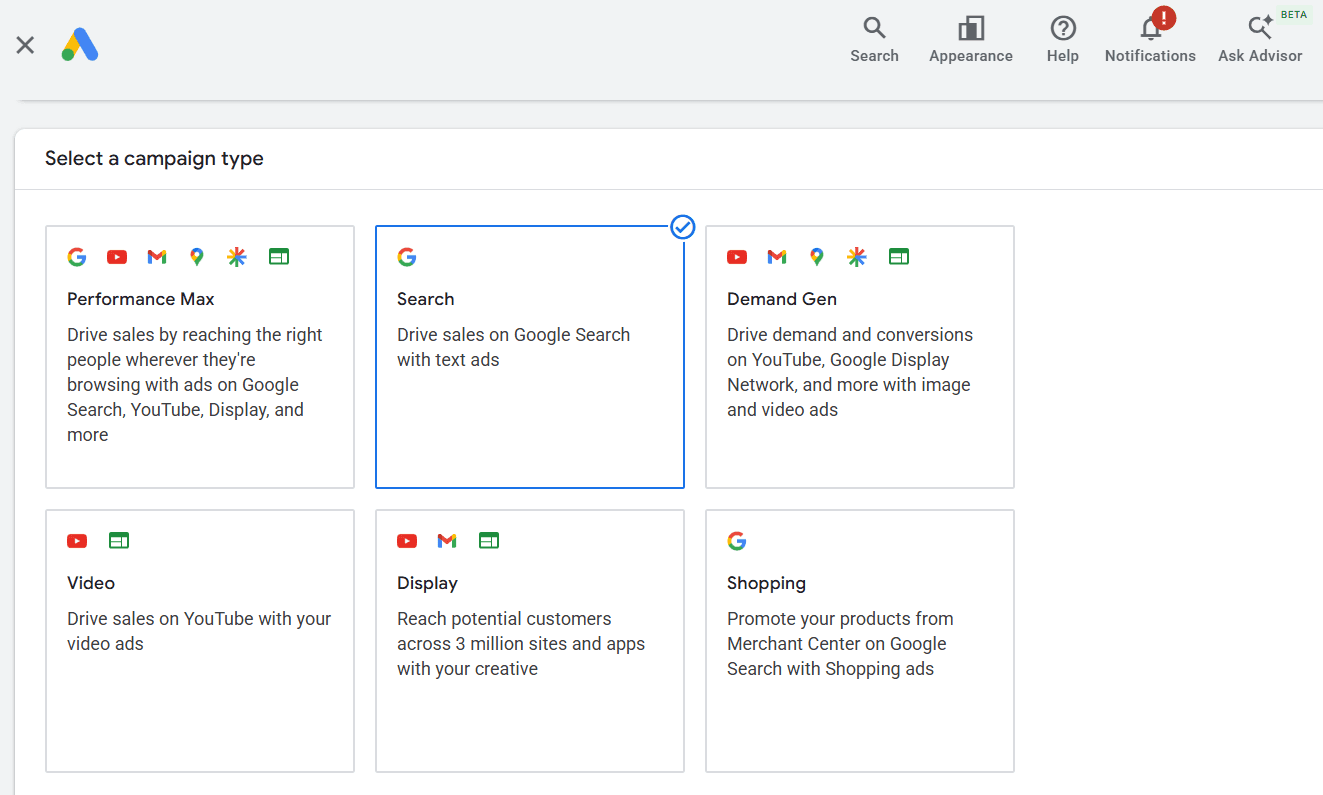
How Google Search ads work: from auction to Ad Rank
Every time an eligible search occurs, Google runs an auction to determine which ads can appear and in what order.
Winning an auction is not simply a matter of placing the highest bid.
Google considers several factors when calculating Ad Rank, including:
Your bid
The quality and relevance of your ads and landing pages
The competitiveness of the auction
The context of the user's search
The expected impact of ad assets and formats
This is why a higher bid does not automatically guarantee a better position.
For example, two e-commerce advertisers might compete for the same commercial query. One may bid more but send users to a generic category page with weak message alignment. Another may have more relevant ad copy and a landing page closely matched to the query.
The second advertiser can still compete effectively despite having a lower bid.
This distinction becomes particularly important when automation enters the picture. Google Smart Bidding can make auction-time bidding decisions using a wide range of signals. External automation does not need to replace that capability. Instead, it can manage the operational decisions around campaigns, such as how budgets and targets are adjusted across a large account.
Planning a Search campaign around business goals
Campaign planning should start with the business outcome, not the "Create campaign" button.
Every major decision, including campaign structure, keywords, bidding, budget, and measurement, should connect back to a defined objective.
Business goal | Primary conversion action | Common KPI |
|---|---|---|
E-commerce sales | Purchase | ROAS, revenue, conversion value |
Lead generation | Qualified form submission | CPA, conversion rate |
Demo acquisition | Demo booking | CPA, qualified pipeline |
Phone inquiries | Qualified call | CPA |
App growth | Install or in-app action | CPI, CPA |
For e-commerce, revenue alone may not always be enough. Depending on the business, teams may also need to account for margin, stock availability, product priorities, customer value, or other commercial signals.
Conversion tracking should therefore be configured before campaigns are scaled. Automated bidding can only optimize toward the signals it receives.
The same principle applies to G-MOS. Automation works best when the business rules and performance goals are clearly defined first. The platform can then automate execution around those goals rather than making the goals for the advertiser.
Structuring your Search campaign: campaigns, ad groups, and themes
Campaign structure determines how easily an account can be managed, measured, and scaled.
At the campaign level, advertisers control settings such as budget, bidding strategy, geographic targeting, language, and networks.
Within each campaign, ad groups connect related keywords with relevant ads and landing pages. The objective is not to create the largest possible number of ad groups, but to maintain enough thematic consistency that the user's query, ad message, and landing page remain aligned.
For a retailer, a simple structure might separate:
Brand searches
Product categories
Individual products or high-priority SKUs
Competitor-related searches where appropriate
For example, a sports retailer might have separate groups around running shoes, trail running shoes, and specific product or brand combinations.
The challenge becomes much larger for retailers managing thousands or hundreds of thousands of products.
Product catalogs continuously change. New products are added, others become unavailable, prices change, categories evolve, and landing pages are updated. A Search structure that was accurate when it was created can quickly become outdated.
This is where feed-driven campaign automation becomes useful.
G-MOS can generate and update Search campaign structures using product feed data, allowing advertisers to build campaigns, ad groups, keywords, and ads around the actual products available in the catalog.
Instead of manually rebuilding structures as the assortment changes, campaign management can follow the underlying product data.
Choosing relevant keywords and match types for your Search campaign
Keywords help connect advertiser intent with the searches people make.
Useful keyword sources include:
Google Keyword Planner
Search Terms reports
Search Console data
Internal site search data
Product and category information
Competitor and market research
For e-commerce advertisers, the product feed itself can also be an important source of keyword information.
Attributes such as product title, brand, category, model, and other product characteristics can be used to create highly specific keyword structures across large catalogs. You can read more about working with product feeds for advertising here.
Google currently supports three main keyword match types:
Exact match: provides tighter control while still allowing searches with the same meaning or intent
Phrase match: can match searches that include the meaning of the keyword
Broad match: can reach a wider range of relevant searches and is designed to work particularly closely with Smart Bidding
There is no universally correct match type for every account. The right approach depends on conversion data, bidding strategy, campaign objectives, query control requirements, and account maturity.
Long-tail keywords can be particularly useful for capturing specific commercial intent, although lower search volume means they need to be evaluated as part of the wider account structure rather than assumed to outperform broader terms automatically.
Negative keywords remain important for controlling irrelevant traffic. Search Terms reports should be reviewed regularly to identify queries that should be excluded or added as new targeting opportunities.
Creating and organizing ad groups: from keyword intent to ad copy
Ad groups connect keywords, ad messaging, and landing pages.
A useful ad group should represent a coherent search intent or product theme. The exact number of keywords inside it matters less than whether those keywords can be served effectively by the same ads and landing page.
Good practice includes:
Grouping keywords around a clear intent, category, product, or theme
Avoiding unrelated search intents within the same ad group
Matching ads closely to the queries they can serve
Sending users to the most relevant available landing page
Using consistent naming conventions that make large accounts easier to manage and report on
For a catalog with a few dozen products, much of this can still be maintained manually.
For tens or hundreds of thousands of products, the problem changes. Creating the initial structure is only part of the workload. Keeping that structure synchronized with changing product data becomes the larger operational challenge.
G-MOS can generate Search structures from feed attributes and keep them updated as the source data changes. This allows agencies and e-commerce teams to scale Google Ads without increasing manual campaign work at the same rate.
Writing high-performing Search ads and using ad assets
Responsive search ads allow advertisers to provide multiple headlines and descriptions that Google can combine and test.
An RSA can include:
Up to 15 headlines
Up to 4 descriptions
A final URL
Display URL paths
Rather than producing variations simply to increase their number, focus on giving Google meaningful and differentiated assets to work with.
Useful ad copy can include:
Relevant product or category terms
Clear value propositions
Price or promotional information where appropriate
Differentiators
Calls to action aligned with the user's intent
Ad assets such as sitelinks, callouts, structured snippets, prices, promotions, images, and location information can provide users with additional information and increase the amount of useful information associated with an ad.
For large e-commerce catalogs, however, ad creation introduces the same scalability issue as campaign structure.
Product names, prices, availability, categories, and landing pages change. Manually updating ad copy across thousands of products creates both workload and the risk of outdated information.
G-MOS can use product feed attributes to generate Search ads at scale and keep campaign data aligned with changes in the feed.
Setting budgets, bidding strategies, and scheduling
Budget and bidding decisions should reflect the economics and objectives of the business rather than a universal daily-spend recommendation.
Factors to consider include:
Expected CPC
Available conversion volume
Conversion value
CPA or ROAS targets
Market size and geography
Seasonality
Available budget
The amount of data required by the selected bidding strategy
Common bidding strategies for Search include:
Strategy | Typical use | How it works |
|---|---|---|
Maximize conversions | Conversion volume | Uses automated bidding to generate as many conversions as possible within budget |
Target CPA | CPA-focused acquisition | Adjusts bids toward a defined average CPA target |
Maximize conversion value | Revenue/value growth | Optimizes toward total conversion value within budget |
Target ROAS | E-commerce and value-based goals | Optimizes toward a defined return on ad spend |
Manual CPC | Specific cases requiring manual bid control | Advertiser sets CPC bids manually |
Google Smart Bidding already handles auction-time bid optimization. For larger accounts, the remaining challenge is often how targets and budgets should change across many campaigns as performance evolves.
This is where additional automation can complement Smart Bidding.
G-MOS Bids & Budgets can automate changes to campaign budgets and bidding targets according to predefined performance rules and limits. Teams can use guardrails to control how quickly changes happen while retaining oversight of the account.
For a more detailed comparison, see our guide to Google Ads bid and budget management software.
Scheduling should also be based on actual account data. Performance by hour, day, device, location, and other dimensions can differ significantly between businesses, so adjustments should follow observed patterns rather than generic assumptions.
Tracking performance: search terms, conversions, and key metrics
Measurement determines whether Search campaigns are creating business value rather than simply generating traffic.
Conversion tracking should reflect the actions that matter to the business. For e-commerce, this usually means purchases and conversion value. Depending on the available data and business model, teams may also incorporate margin, customer value, or offline conversion information.
Core Search metrics typically include:
Impressions
Click-through rate
Average CPC
Conversion rate
CPA
Conversion value
ROAS
Impression share
No single metric should be interpreted in isolation.
For example, lower CPC is not necessarily positive if traffic quality declines. Higher conversion volume may not be valuable if CPA becomes unsustainable. Higher revenue does not automatically mean better performance if spend grows faster than revenue.
The Search Terms report is also important for understanding which queries actually triggered ads. It can reveal irrelevant traffic, new keyword opportunities, and changes in how customers search.
At scale, monitoring performance becomes an aggregation problem as well as an optimization problem. Thousands of products and campaigns can make it difficult to identify where spend is producing value and where products are receiving insufficient visibility.
G-MOS Product Labeling can help segment products based on performance and visibility signals, including identifying Zombie SKUs and other product groups that may require a different advertising approach. Learn more about how Zombie SKUs can be identified and managed in Google Ads.
Ongoing optimization and automation for scalable Search ads campaigns
Search campaigns require ongoing management.
The appropriate cadence depends on account size, conversion volume, business volatility, and the type of decisions being made. Not every metric should trigger an immediate change, particularly when conversion lag or limited data can distort short-term performance.
Regular checks can include:
Weekly or frequent operational checks:
Review Search Terms and negative keywords
Monitor budget pacing
Check significant performance changes
Verify that ads and landing pages remain relevant
Identify inventory or feed changes affecting campaigns
Longer-term structural reviews:
Evaluate campaign and ad group structure
Review bidding targets against business goals
Assess budget allocation
Identify new categories or product groups
Review whether automation rules still reflect current priorities
As accounts scale, automation becomes less about replacing Google's own optimization and more about managing the operational layer around it.
Google Smart Bidding handles auction-time bidding. Feed-driven automation can handle campaign generation and catalog synchronization. Additional budget and bidding automation can apply business rules across campaigns while controlling the pace and limits of changes.
This division of responsibilities is particularly useful for e-commerce businesses with large or frequently changing catalogs. The goal is not automation for its own sake. It is to remove repetitive work while keeping campaign decisions connected to business priorities.
Common mistakes in Search campaigns and how to avoid them
Even sophisticated Search accounts can lose efficiency because of structural or operational issues.
Common problems include:
Poor query control. Broad targeting without sufficient conversion data, Smart Bidding support, or negative keyword management can generate irrelevant traffic.
Incomplete conversion tracking. If the platform receives weak or incorrect conversion signals, bidding decisions will optimize toward the wrong outcome.
Generic ad messaging. Ads that do not reflect the user's intent, product, or landing page can reduce relevance and performance.
Sending traffic to overly broad landing pages. Product- and category-specific queries should generally lead to the most relevant available page.
Excessive budget fragmentation. Splitting spend across too many low-volume campaigns can limit the amount of data available to automated bidding.
Outdated campaign structures. For e-commerce, campaigns can become disconnected from the actual catalog as products, availability, prices, and categories change.
Overreacting to short-term data. Frequent changes based on insufficient data or without accounting for conversion lag can disrupt otherwise effective bidding strategies.
The larger the account becomes, the more these issues compound.
A well-designed Search campaign therefore needs more than a strong initial setup. It needs a structure that can remain relevant as products, performance, and business priorities change.
For smaller accounts, much of that work can still be managed manually. For e-commerce businesses and agencies operating at larger scale, automation can make that process substantially more manageable.
G-MOS combines feed-driven Search campaign automation, product-level performance segmentation, and automated bid and budget management to help teams scale Google Ads without scaling repetitive manual work at the same rate.
If your team manages a large catalog or complex Google Ads account, book a demo to see how G-MOS can support your Search advertising workflow.
8 minutes
Posted by

Nadiia Prokofieva
CMO
Background in PPC and digital marketing, focused on Google Ads automation and eCommerce growth.